Create Decision Tables and Rules in Excel
DMN Business Rules and Decision Tables
Capabilities:

Use DMN (Decision Model and Notation)
Write Business Rules in FEEL Level 3
Test Multiple Decision Tables in Excel
Easily Deploy to RASON in Azure Cloud
Use RESTful Decision Services in Any App
Super-Easy in Power Automate, Power Apps
DMN DECISION TABLES
RULES IN EXCEL
RULES IN RASON
CLOUD DEPLOYMENT
DECISION FLOWS
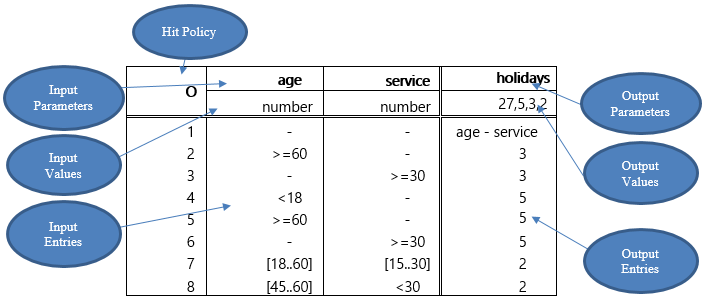
DMN (Decision Model and Notation) prescribes a familiar, standard way to write business rules, and structure them into decision tables. Rules are written in a mini-language called FEEL (Friendly Enough Expression Language) which is part of the standard. Both Analytic Solver and RASON follow the DMN 1.3 standard, and implement FEEL Level 2. Below is a simple example of a decision table that returns the number of holidays apportioned to an employee based on his/her age and number of years in service.
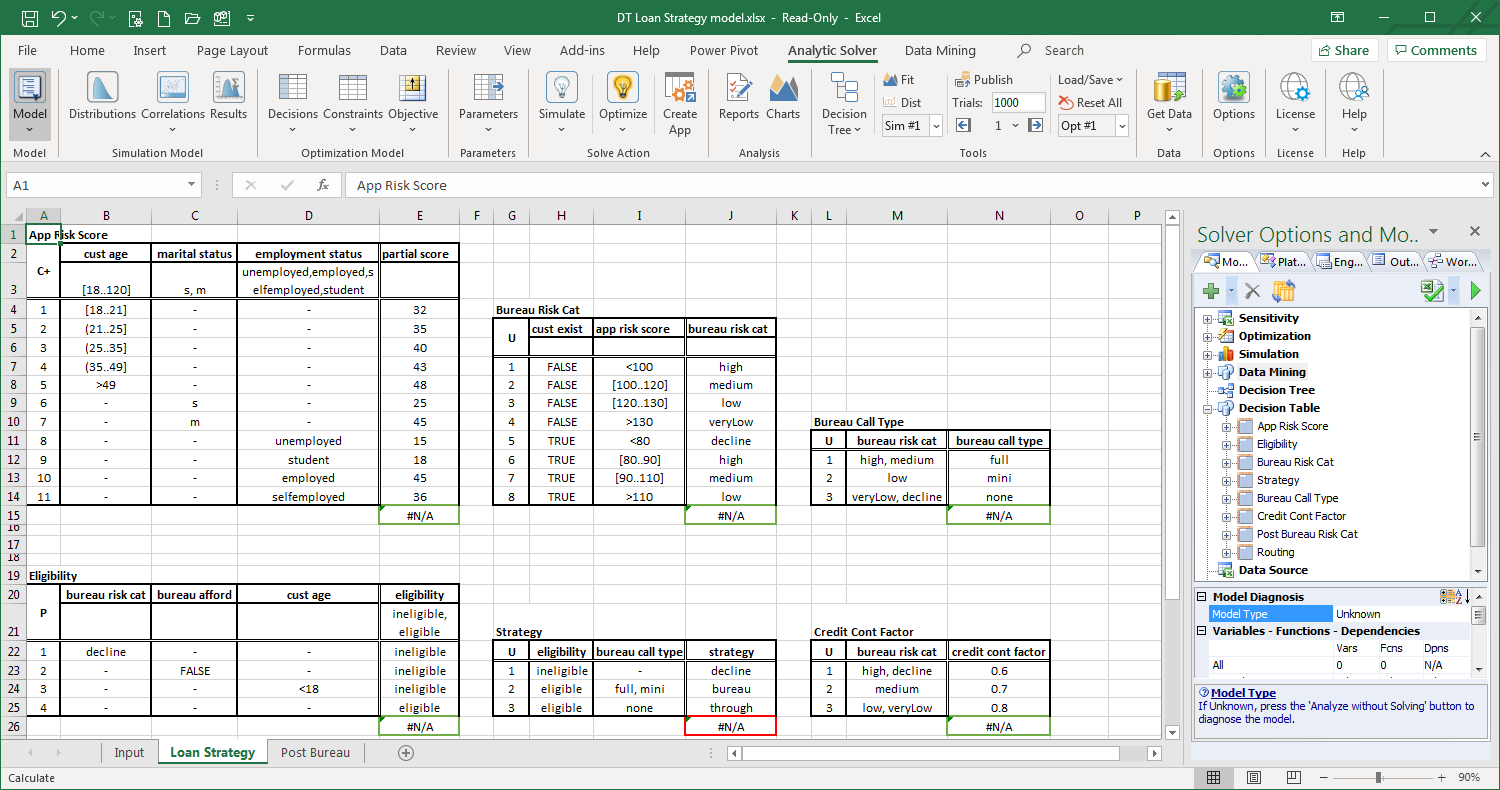
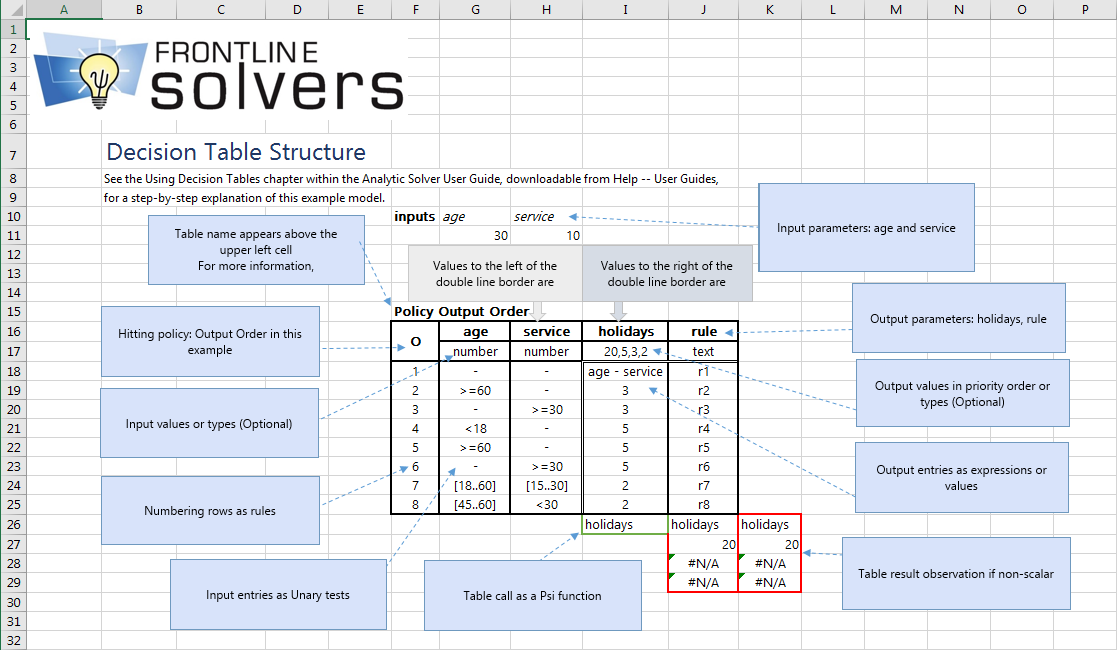
With Analytic Solver Comprehensive, you can easily create and test DMN-compatible business rules and decision tables. Analytic Solver understands, interprets and validates rules written in FEEL. But you can also use Excel formulas to calculate and supply table inputs, or to calculate results based on table outputs. Here's the example table from the previous tab in Excel.
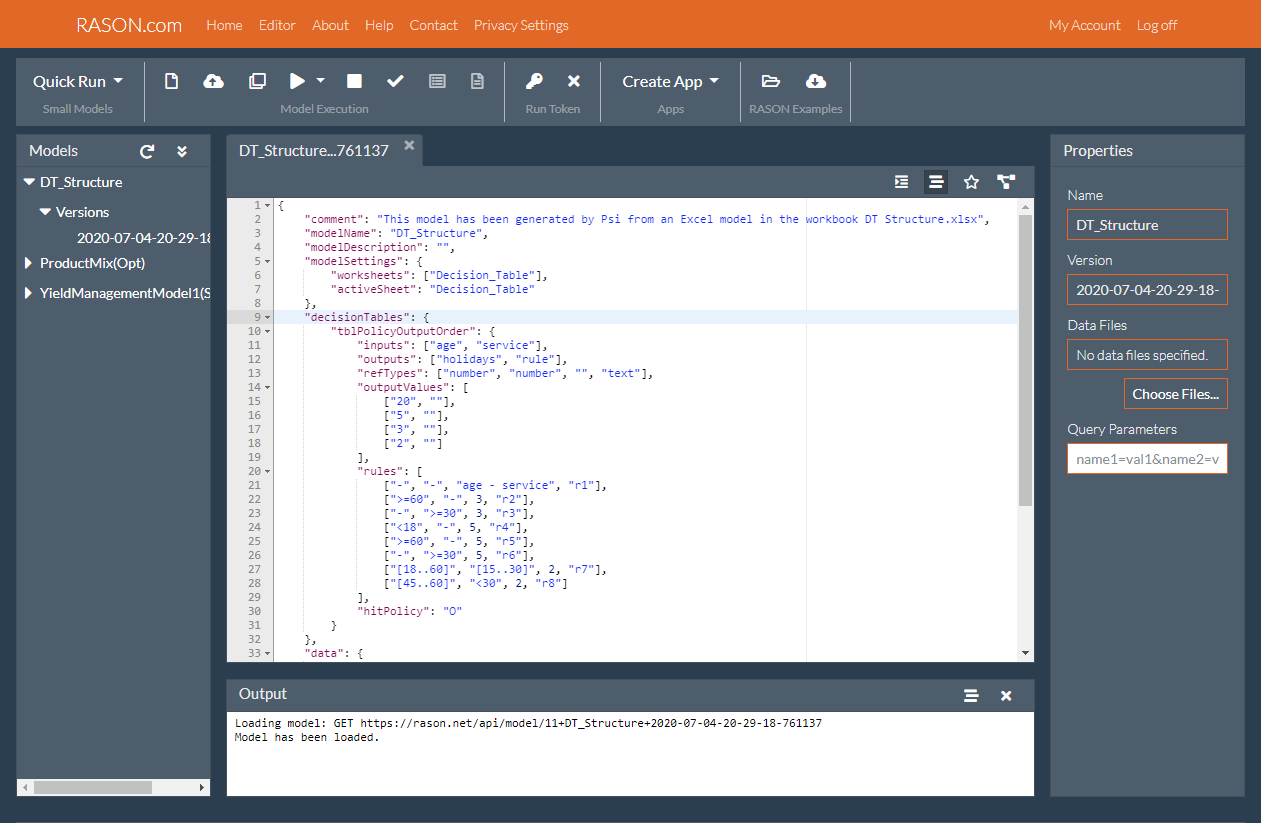
With RASON Comprehensive, our Azure cloud service, you can create and test DMN-compatible business rules and decision tables directly in JSON notation, or you can use Analytic Solver to automatically translate decision tables from Excel to RASON syntax. Here's the example decision table in Excel, translated to RASON notation and uploaded to the RASON Server.
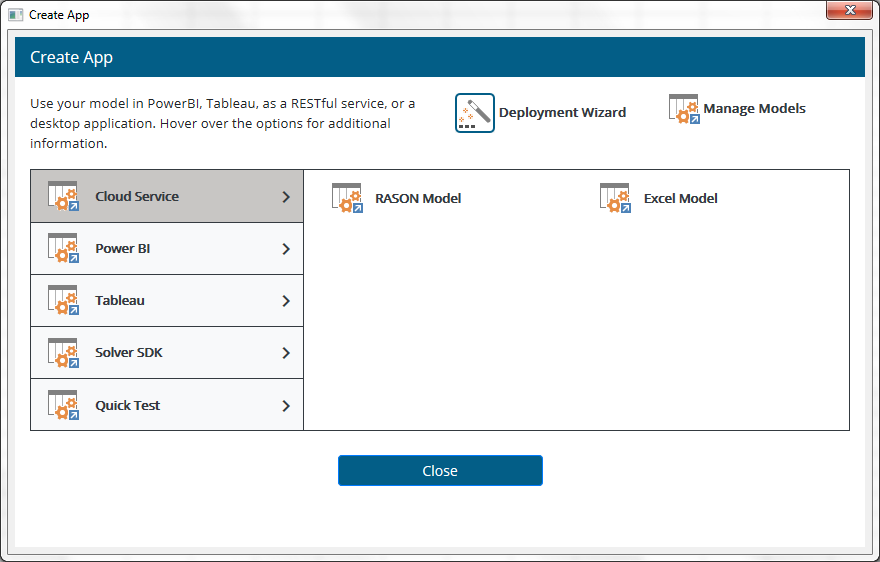
Deploying your model from Analytic Solver in Excel to RASON Decision Services is a simple point-and-click operation, via the dialog shown below. And all models in RASON -- including DMN-compatible decision tables -- can be executed as decision services, via simple REST API calls such as GET https://rason.net/api/model/name/decision.
Easily Create Multi-Stage Decision Flows, with Business Rules, Optimization, Simulation and Machine Learning
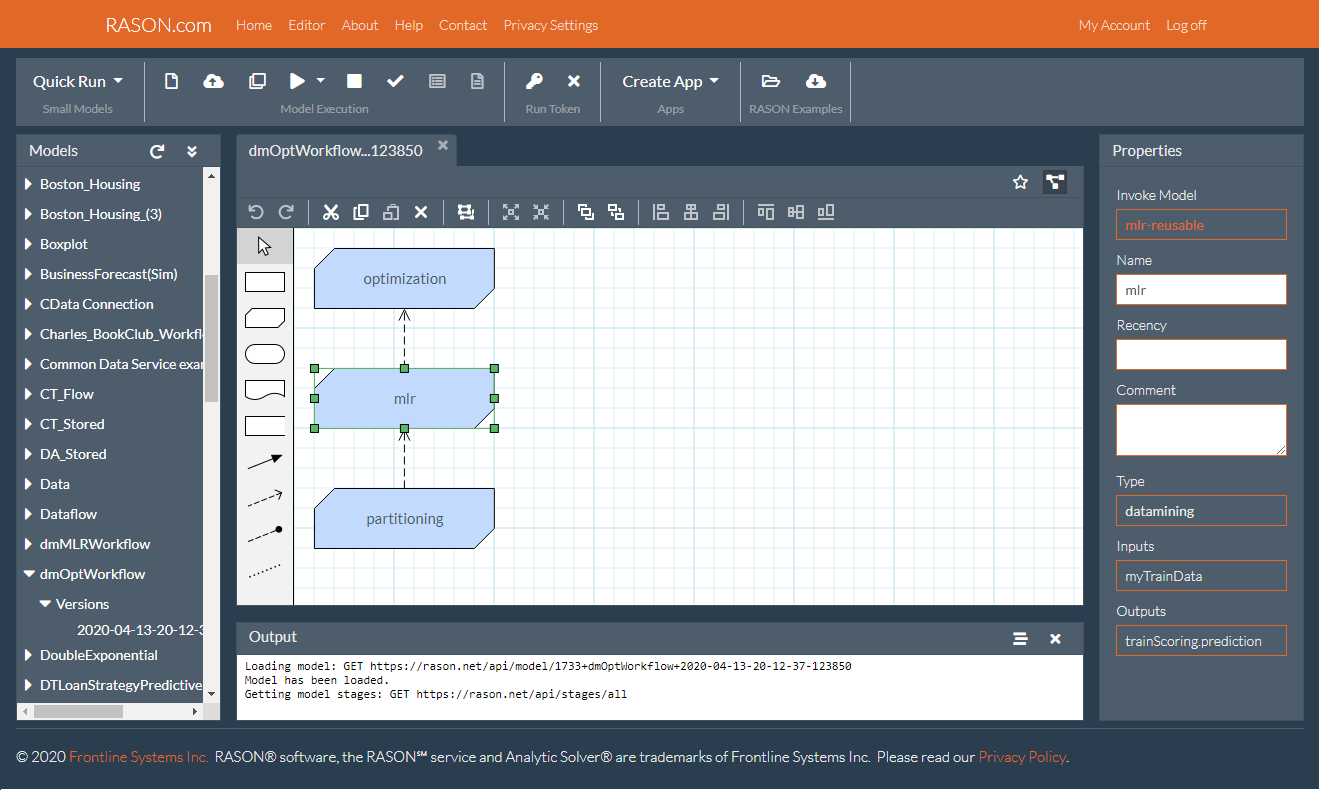
Drag and Drop Editor
Easily create multi-stage flows in a Drop & Drop editor that follows DMN Decision Requirement Diagram (DRD) conventions. Flip between the RASON text and graphical form at any time.
Decisions and BKMs
Stages can execute the full range of predictive and prescriptive analytics: DMN-compatible decision tables, Excel calculations, SQL operations, Monte Carlo simulations, mathematical optimizations, or machine learning training or prediction steps.
Indexed Data Frames
Multi-dimensional data is automatically passed between stages, in a standard, general "indexed data frame" form that maintains dimensional information across statistical and ML transformations.
Stage-level Results
Run only the stages that need updating, easily determine the outcome of each stage, and obtain results in JSON or OData form, at each stage or only at the final stage(s).
Reusable Models
Each stage can be written inline or can invoke a "reusable model" via its interface. Models can be written in RASON or Excel with Analytic Solver, and may be used in multiple decision flows.
Automatic Scheduling
Schedule a decision flow to run at fixed intervals. Even simpler, specify how recently updated you want each stage to be -- RASON will automatically determine when to run each stage.