Your Excel / RASON Model as a Cloud Service
Analytic Model Creation, Deployment and Management Made Easy
Capabilities:

Access Results via JSON or OData
Connect to 100+ Cloud Data Sources
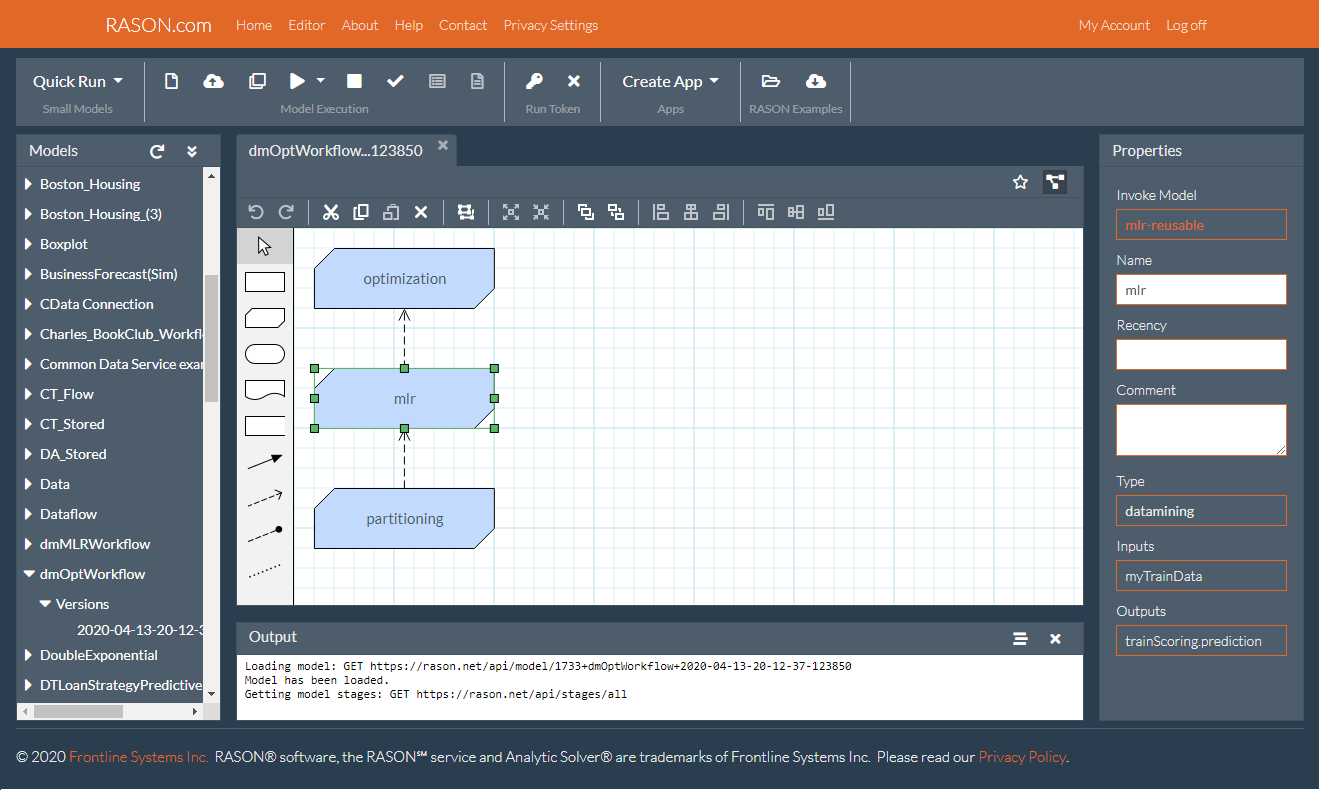
Create Multi-Stage Decision Flows
Track Model Versions and Runs
Use Azure Security Best Practices
ANALYTIC SOLVER EXCEL
CREATE CLOUD SERVICE
USE IN BI DASHBOARDS
MONITOR & MANAGE
RASON DECISION FLOWS
Powerful, Comprehensive Predictive and Prescriptive Analytics, Made Easy in Excel
Excel Solver compatible
Use existing Solver models as-is, but solve faster -- just open your workbook and solve.
Solve large-scale linear and nonlinear models
Solve models with thousands to millions of variables and constraints. Linear and quadratic, mixed-integer, smooth nonlinear, global optimization, non-smooth evolutionary, robust optimization and stochastic programming Solvers are all included.
Ultra-Fast Monte Carlo Simulation
Easily define uncertain variables with sampling from 50 continuous, discrete and custom distributions, copulas and rank-order correlation, and distribution and correlation fitting.
Time series forecasting
Apply the most popular exponential smoothing and Box-Jenkins (ARIMA) methods with seasonality to forecast time series, such as sales and inventory, from historical data.
Prediction and classification methods
Use powerful multiple linear and logistic regression with variable selection, data mining methods like naive Bayes, CaRT, k-nearest neighbors and neural networks, and ensembles of multiple algorithms.
DMN and FEEL compatible decision tables
Create multiple linked decision tables with sets of business rules, using the DMN (Decision Model and Notation) open standard and FEEL (Friendly Enough Expression Language).
Point-and-click Deployment to the Cloud
Turn your Excel model into an Azure-based cloud service, usable by any web or mobile app. Use your model on Power BI and Tableau dashboards, connect to new data sources, and re-solve.
Much, much more
This is just a brief overview -- see more extensive features -- and it's all included, even in our ultra-low-cost Analytic Solver Basic!

Solve the full range of optimization problems
Data Exploration and Feature Selection
Solve huge models with best-of-breed Solvers
Unsupervised Machine Learning
Run high-speed Monte Carlo simulations
Classification and Prediction Algorithms
Solve stochastic optimization problems
DMN-FEEL Compatible Decision Tables
Time Series Forecasting Methods
Point-and-Click Deployment to Azure
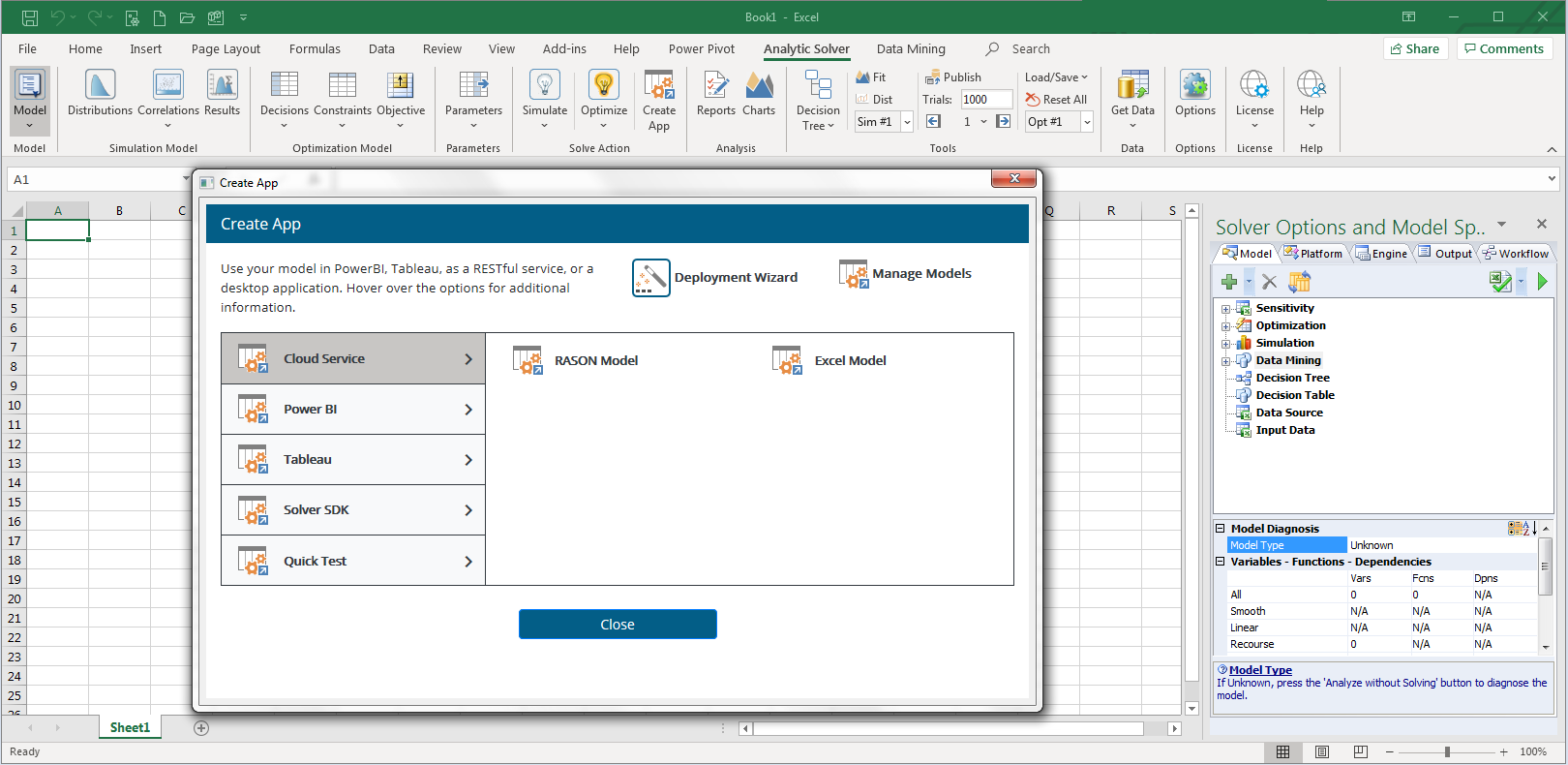
Turn Your Excel Analytic Model into an Azure Cloud Service — with a Few Mouse Clicks

Create App - Cloud Service - Excel Model
Run Your Model from Any App with REST Calls
Save Workbook on OneDrive or RASON Server
Optionally Supply Inputs from URL Parameters
Choose Your Desired Model Inputs and Results
Get Model Results in JSON or OData Format
Optionally Translate from Excel to RASON Notation
Easily Use Results in Power Apps, Power Automate
Full Data Mining Workflows Become Cloud Services
RASON Models Use 100+ Cloud Data Sources
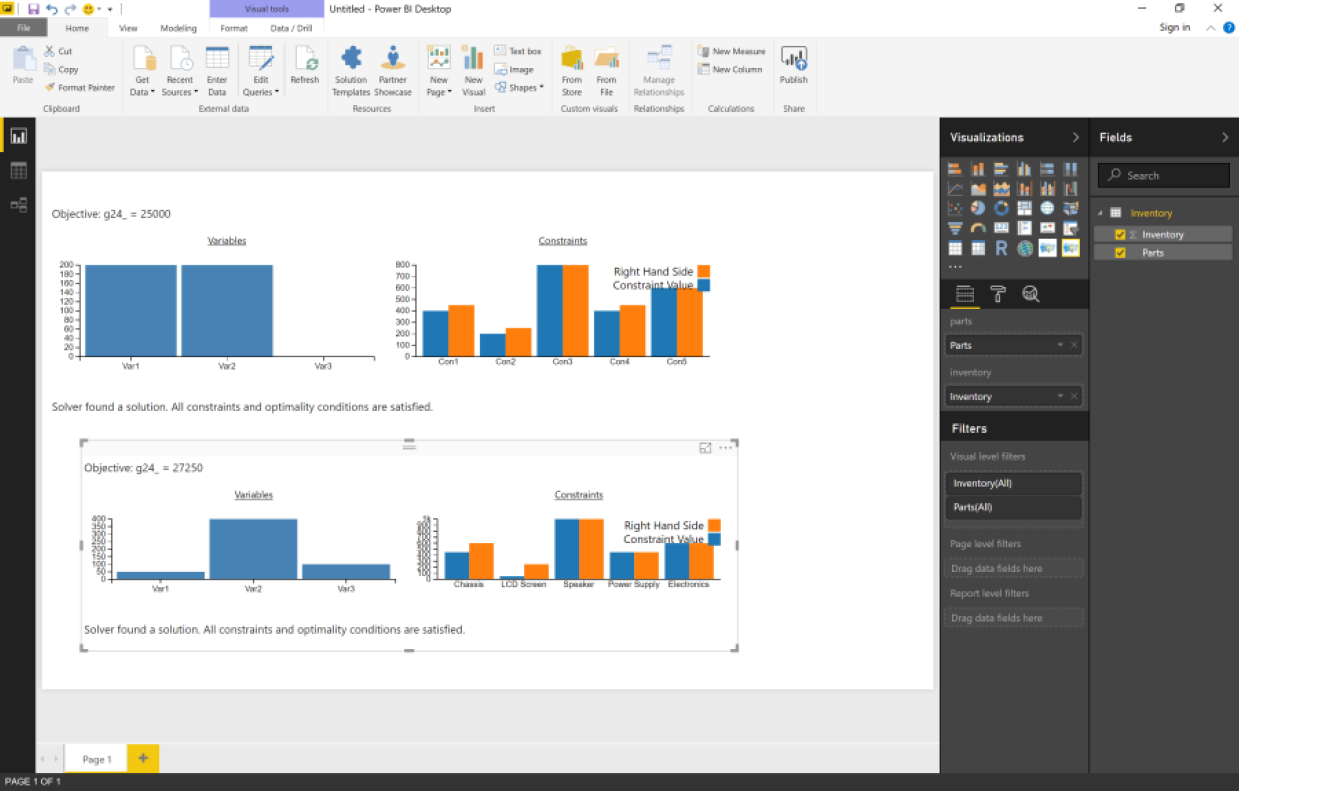
Run Your Analytic Model Live on a Power BI or Tableau Dashboard
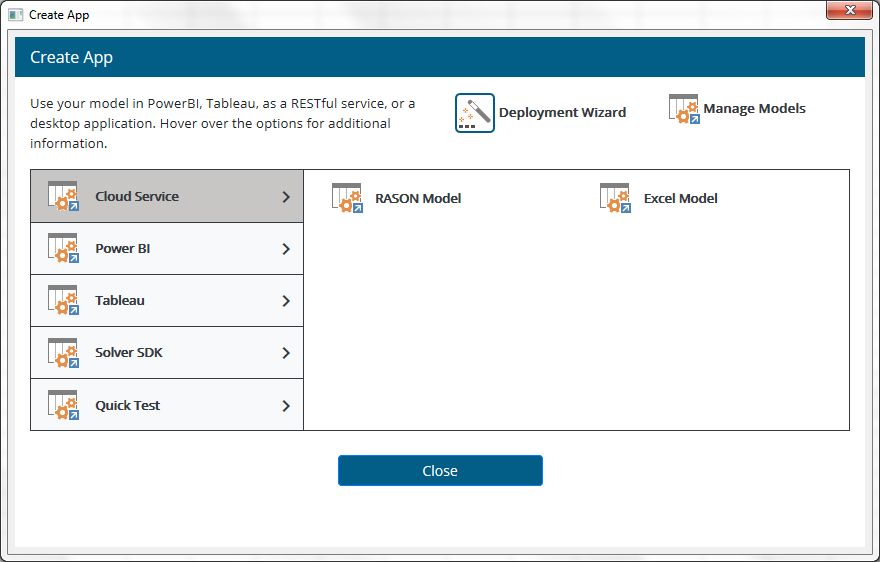
Create App - Power BI or Tableau - Model
Drag Your Model onto Power BI or Tableau Dashboard
Save Workbook on OneDrive or RASON Server
Select or Drag to Connect Data from the Dashboard
Choose Your Desired Model Inputs and Results
Your Model Re-Solves Whenever the Data Changes
Creates a Custom Visual or Dashboard Extension
Results Appear in Visual Bar Chart form Automatically
Manage Versions, Champions and Challengers, Monitor Results of Your Cloud Services
REST API and JSON
Every RASON model has a REST API, with JSON requests and responses – easy to consume in any web or mobile app, from C# to JavaScript.
OData Endpoint
Every RASON model has an OData endpoint for results. Tools like Power BI and Power Apps can consume these results directly – no code required.
Pluggable Data Sources
Every RASON model can use a wide range of “pluggable” data sources, from Excel and CSV files on OneDrive to SQL Server, the Common Data Service, or 100+ CData Cloud Hub sources.
Security Best Practices
Run RASON models with basic (encrypted) or advanced (OAuth2 PKCE) API tokens. Easily maintain OneDrive, Common Data Service, SQL Server and CData access credentials in Azure vaults. Benefit from Frontline's ongoing RASON Server security and performance monitoring.
Versioning, Champions
Every RASON model has version tracking. You can designate "champion" and "challenger" model versions, and monitor results for each one.
Monitor Result History
Every RASON model has tracking of each run – and since RASON monitoring has its own OData endpoint, you can view, slice and dice the history in Power BI.
Excel and RASON
All this applies to both model’s created in RASON’s high-level modeling language, or created in Excel using Frontline’s Analytic Solver add-in.
Easily Create Multi-Stage Decision Flows, with Business Rules, Optimization, Simulation and Machine Learning
Drag and Drop Editor
Easily create multi-stage flows in a Drop & Drop editor that follows DMN Decision Requirement Diagram (DRD) conventions. Flip between the RASON text and graphical form at any time.
Decisions and BKMs
Stages can execute the full range of predictive and prescriptive analytics: DMN-compatible decision tables, Excel calculations, SQL operations, Monte Carlo simulations, mathematical optimizations, or machine learning training or prediction steps.
Indexed Data Frames
Multi-dimensional data is automatically passed between stages, in a standard, general "indexed data frame" form that maintains dimensional information across statistical and ML transformations.
Stage-level Results
Run only the stages that need updating, easily determine the outcome of each stage, and obtain results in JSON or OData form, at each stage or only at the final stage(s).
Reusable Models
Each stage can be written inline or can invoke a "reusable model" via its interface. Models can be written in RASON or Excel with Analytic Solver, and may be used in multiple decision flows.
Automatic Scheduling
Schedule a decision flow to run at fixed intervals. Even simpler, specify how recently updated you want each stage to be -- RASON will automatically determine when to run each stage.